
Overview
This guide explains how to generate shipping labels for partially fulfilled orders in LateShipment.com. It allows you to split an order, create labels for the items ready to ship, and generate new labels later for the unfulfilled items.
Example:
If a customer orders 5 items, you can ship 2 items now using a partial shipment label. The remaining 3 items can then be shipped later with a separate label, ensuring the customer doesn’t have to wait for the entire order to be ready.
When to Use Partial Shipment:
Orders where some products are in stock and others are backordered.
Items that require different packaging or shipping methods.
To Create a Partial Shipment Label:
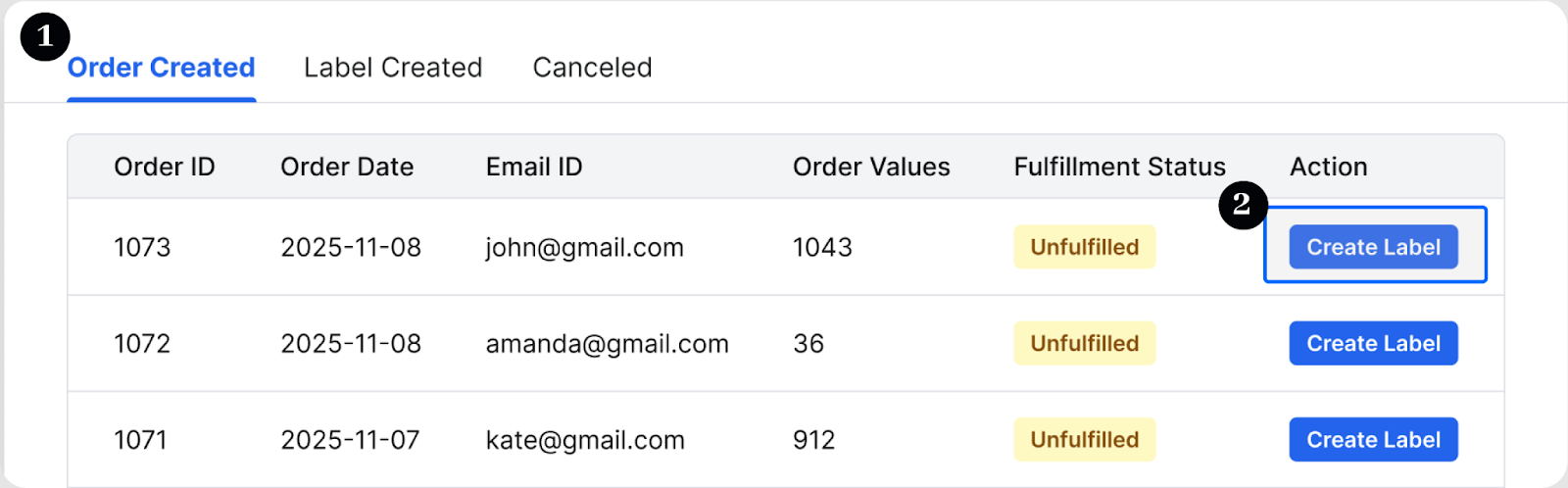
Navigate to One Label → Manage Label → Order Created Tab → Order Details.
Search for the Order ID, click the order, and select Create Label.
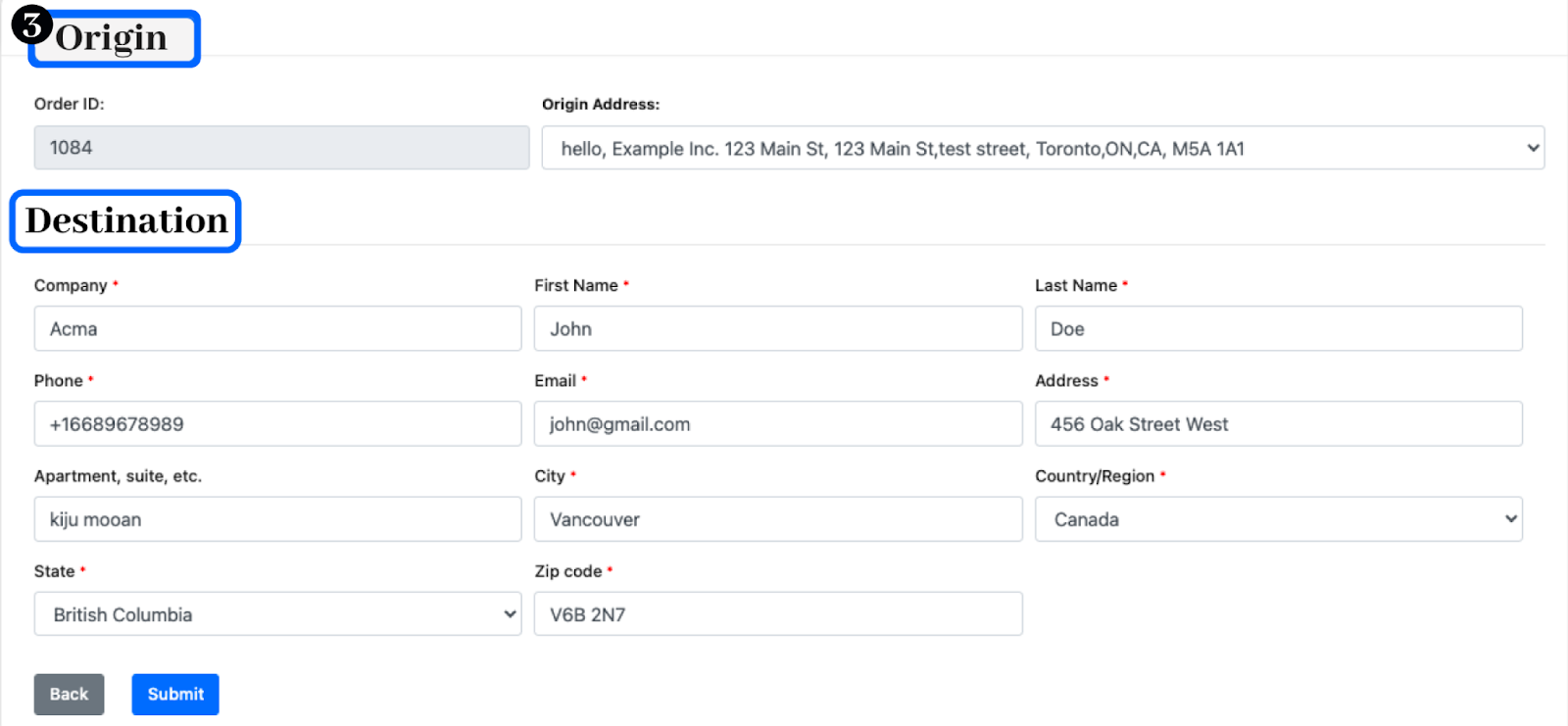
Select the Origin and enter the Destination Details.
Choose only the products you want to ship, and based on that you set the package dimensions, weight, and quantity.
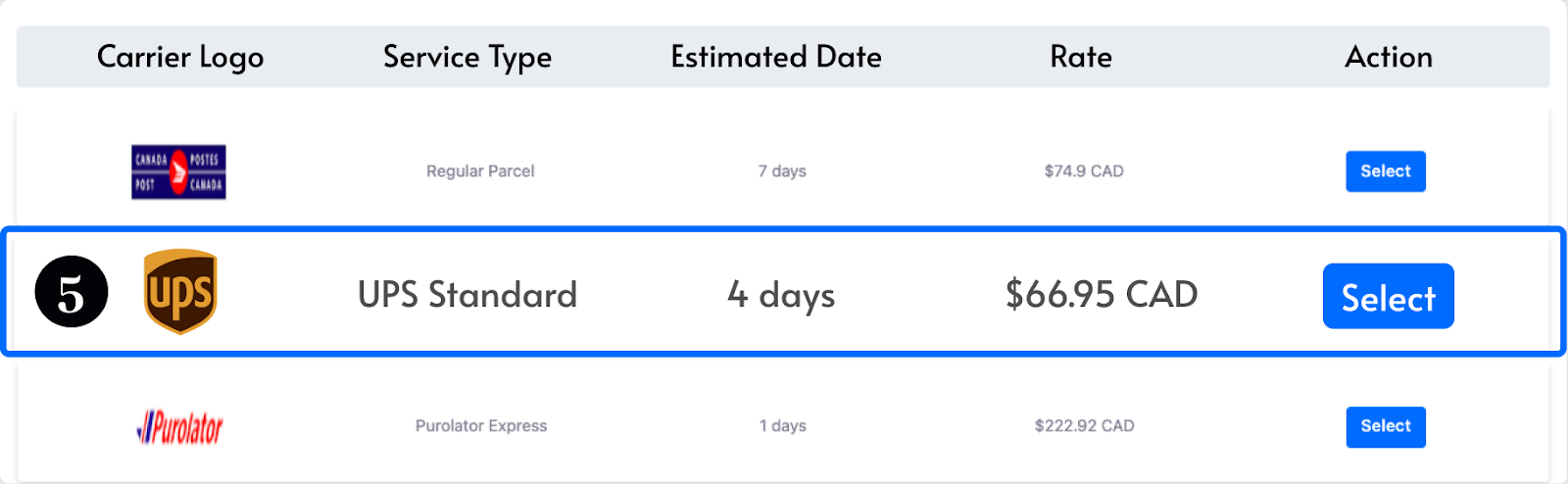
Click Get Rate, which will direct you to select a preferred carrier and service type (e.g., Standard, Express).
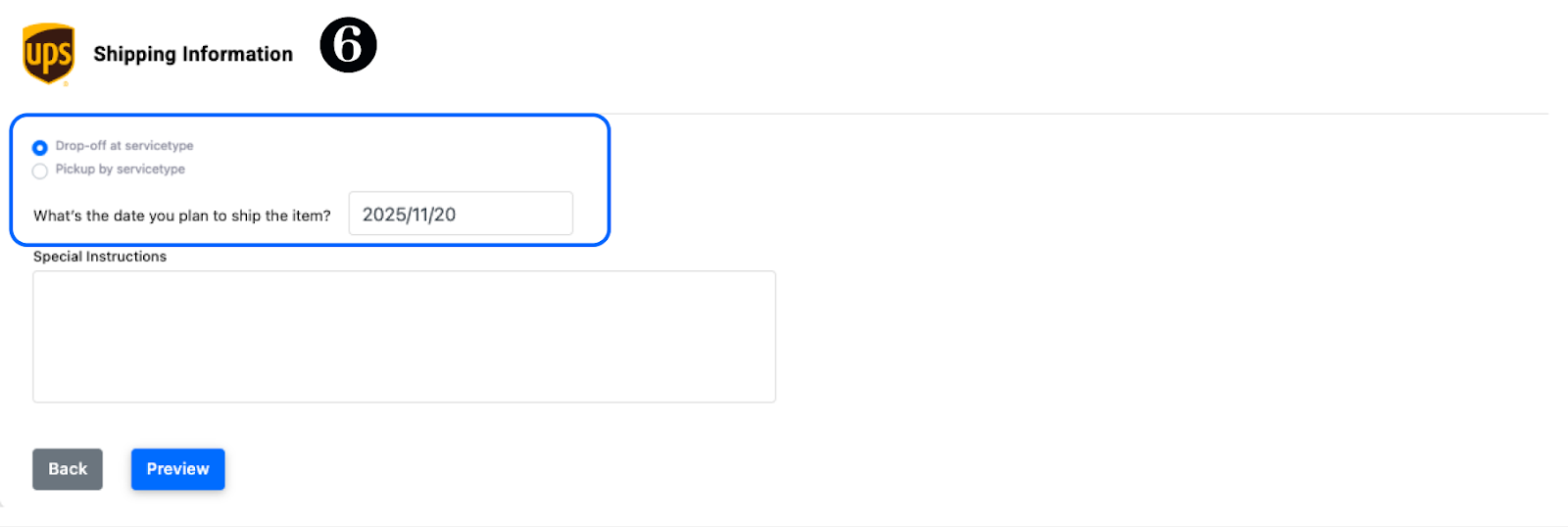
Choose a Pickup date and time, or a Drop-off location based on your shipping preference. You can also add Special Courier Instructions if needed.
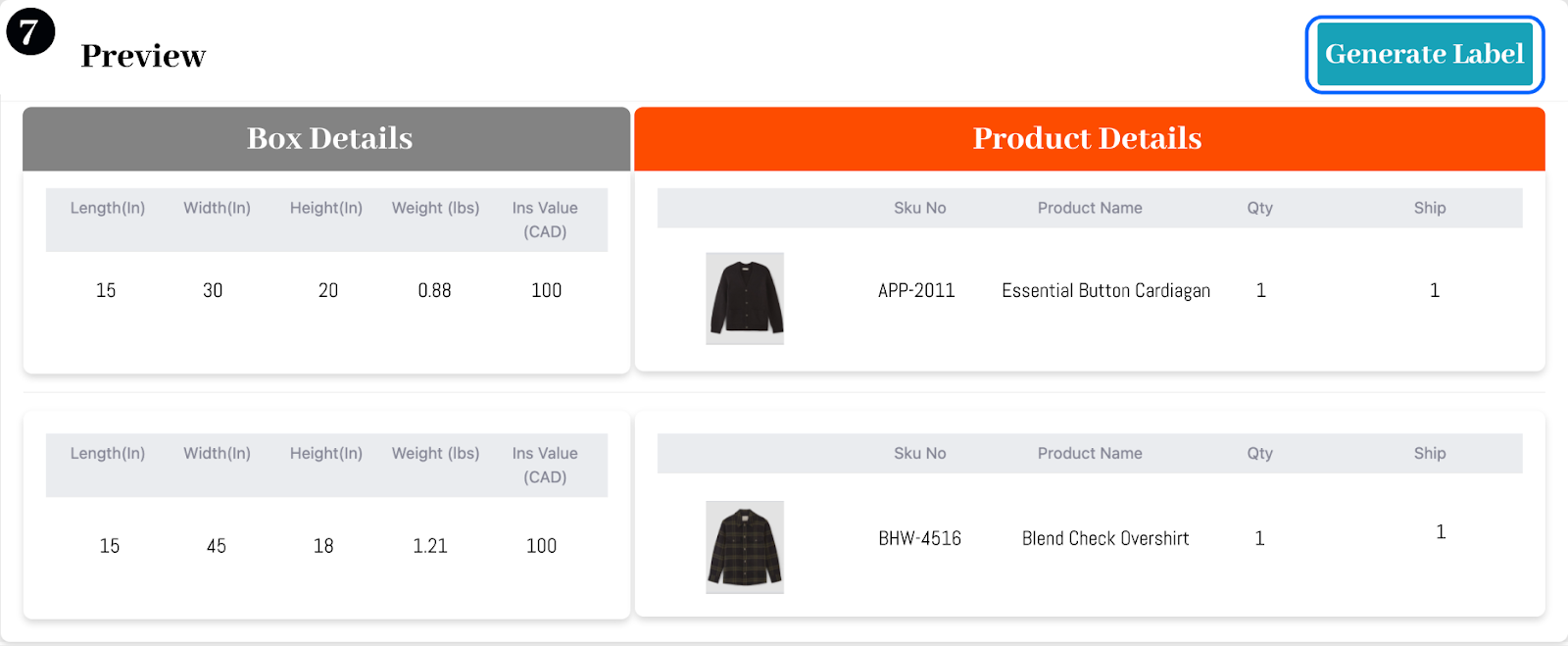
Review the products and box details, then generate the partial shipment label. Once confirmed, your label will be ready for printing.

Handling unfulfilled products
Unfulfilled items remain clearly marked as pending in the dashboard, allowing you to easily track which products still need to be shipped.
When these items become available, navigate to the Manage Label dashboard. Under the Order Created tab, locate the same Order ID and repeat the Partial Shipment process to generate new labels for any combination of the remaining items.
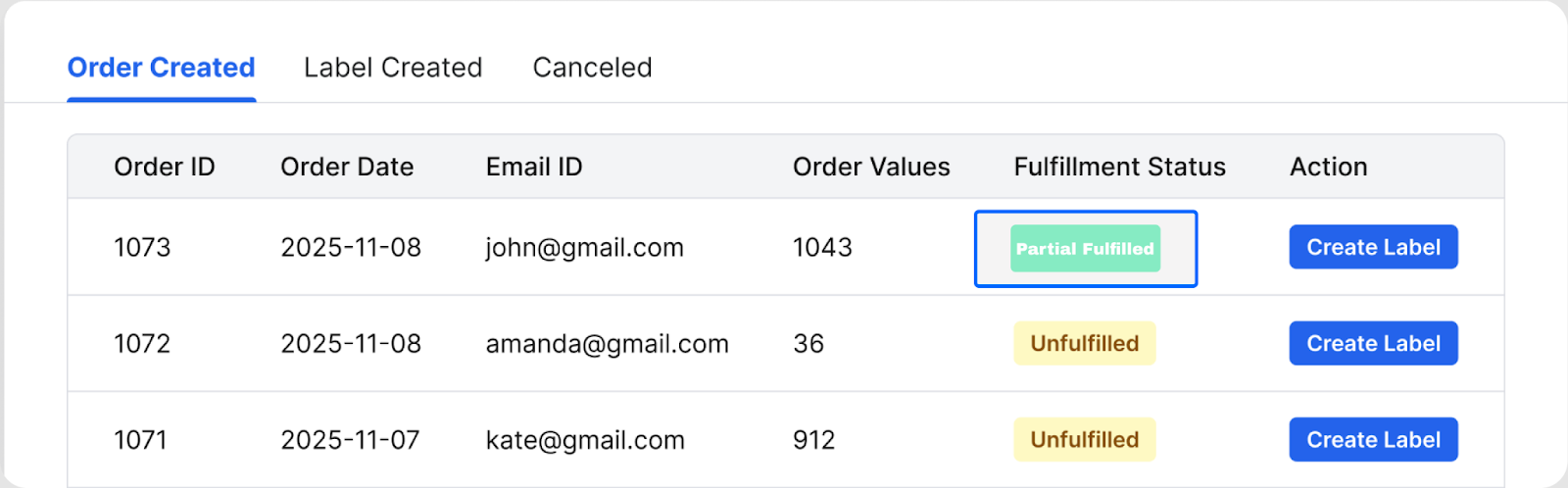
This process can be repeated until all items in the order are fulfilled, with each shipment having its own tracking number listed under the order details.
Note: Partial shipment is especially useful during high-demand seasons (e.g., holidays) when some items may be on backorder but you still want to deliver quickly.
.
Was this article helpful?
That’s Great!
Thank you for your feedback
Sorry! We couldn't be helpful
Thank you for your feedback
Feedback sent
We appreciate your effort and will try to fix the article