
This guide explains how to connect your Zoho Inventory account with LateShipment.com using a workflow rule and webhook. Once configured, shipment updates from Zoho Inventory will automatically be pushed to LateShipment.com for monitoring delivery performance and shipment events.
Step 1: Open Zoho Inventory
Log in to Zoho One.
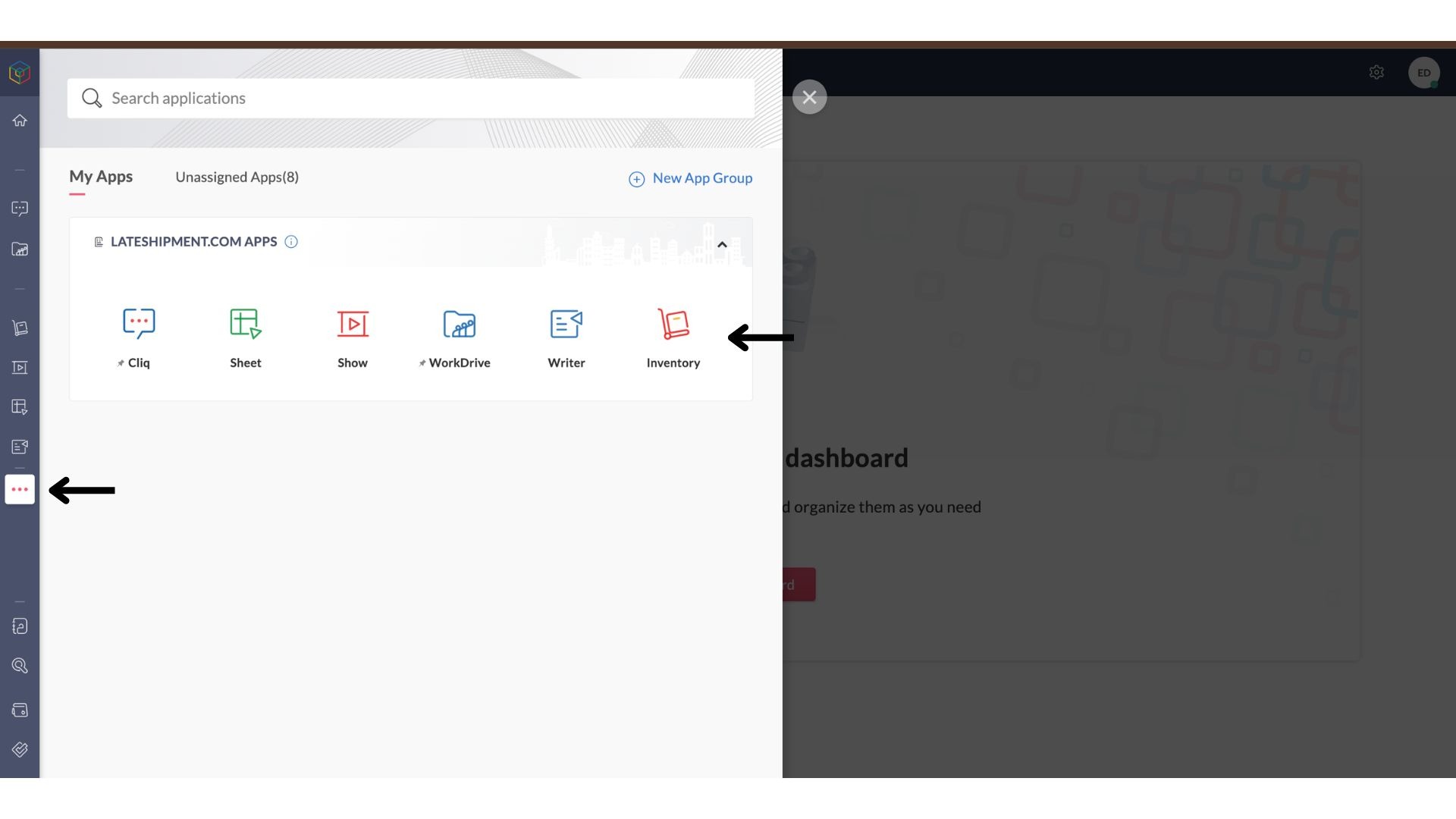
Click the App Launcher (three dots).
Select Zoho Inventory from the list of applications.
Step 2: Navigate to Workflow Rules
Inside Zoho Inventory, click Settings in the top-right corner.
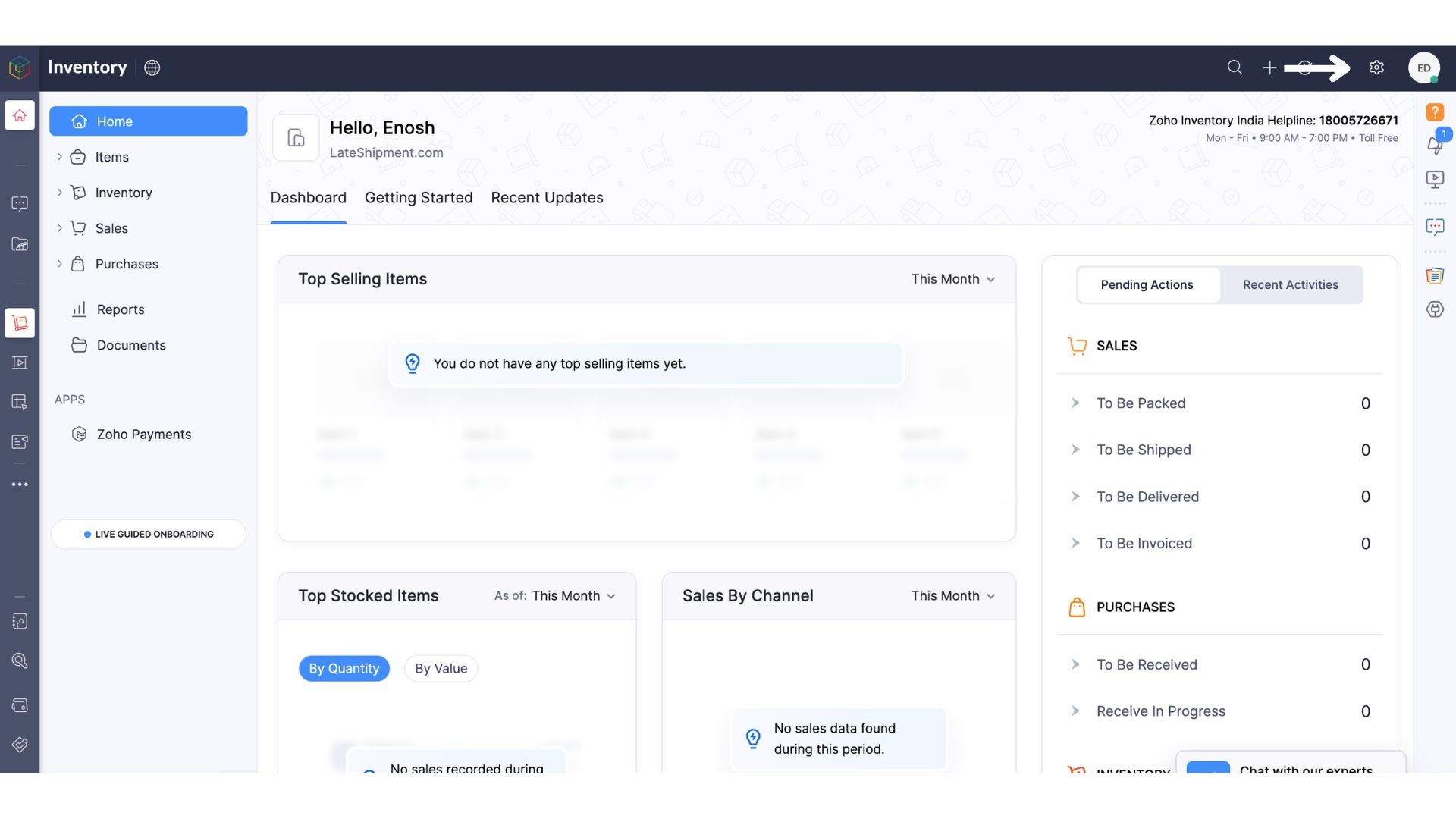
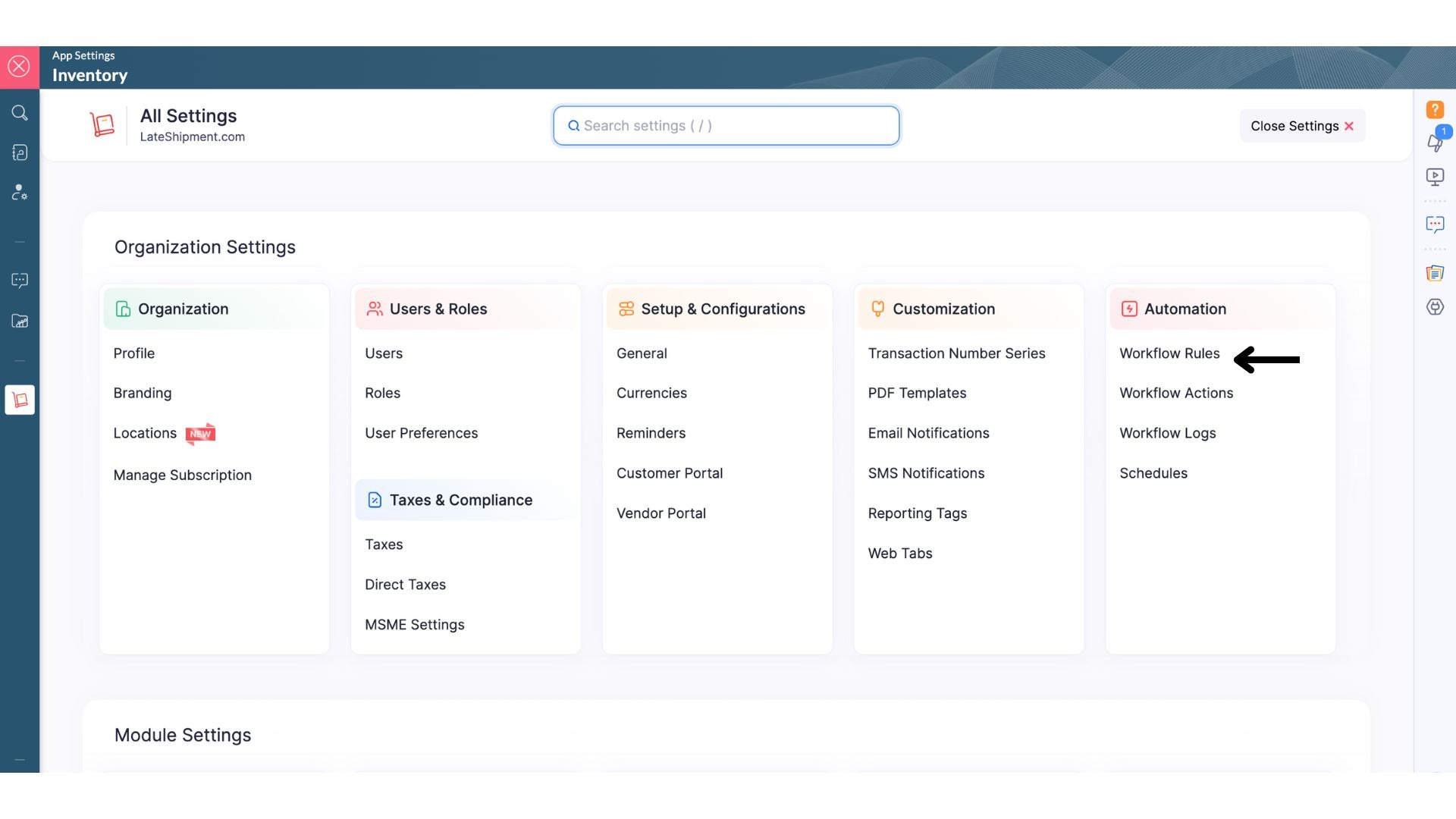
Go to Automation.
Select Workflow Rules.
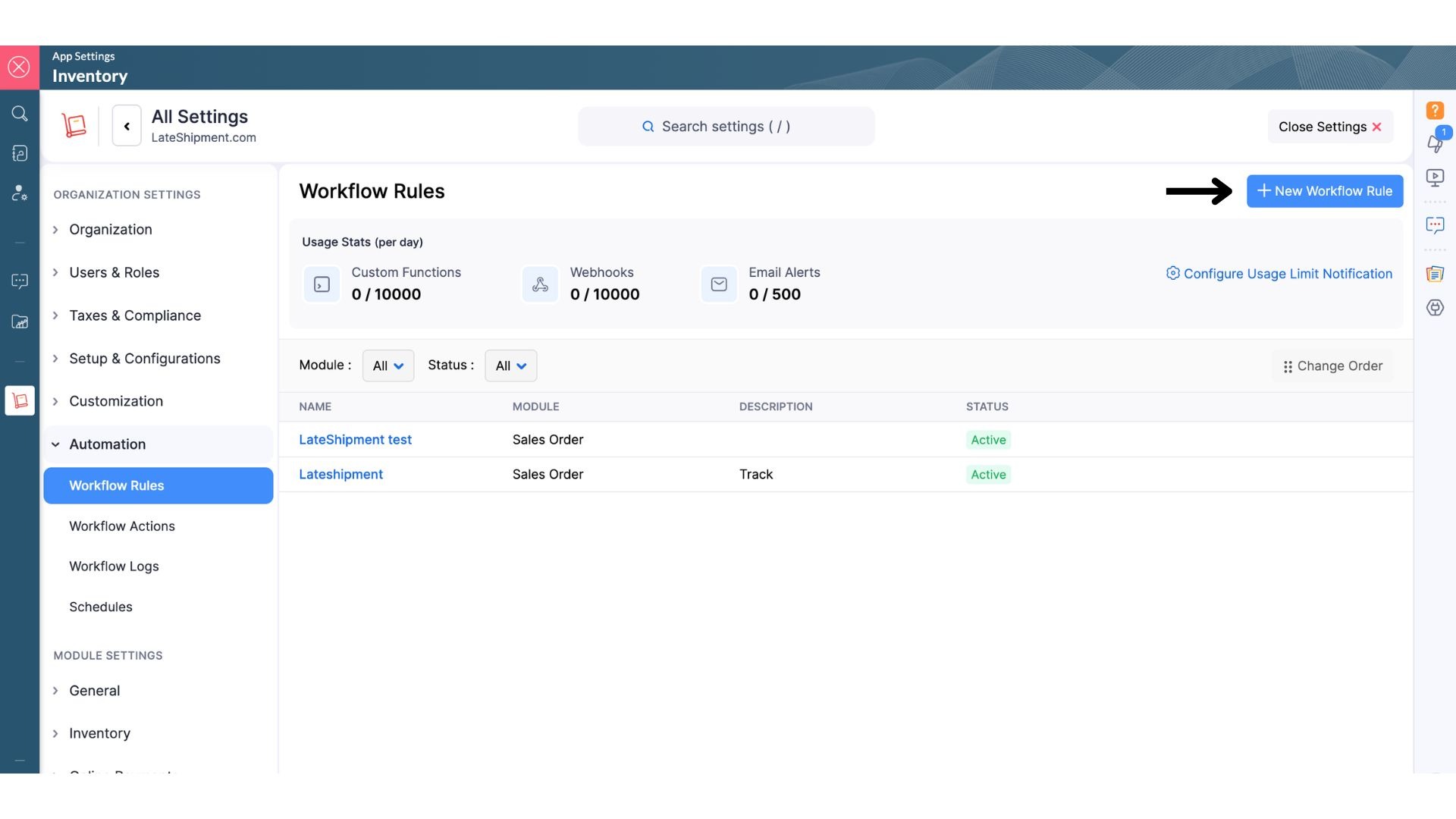
Click New Workflow Rule.
Step 3: Configure the Workflow
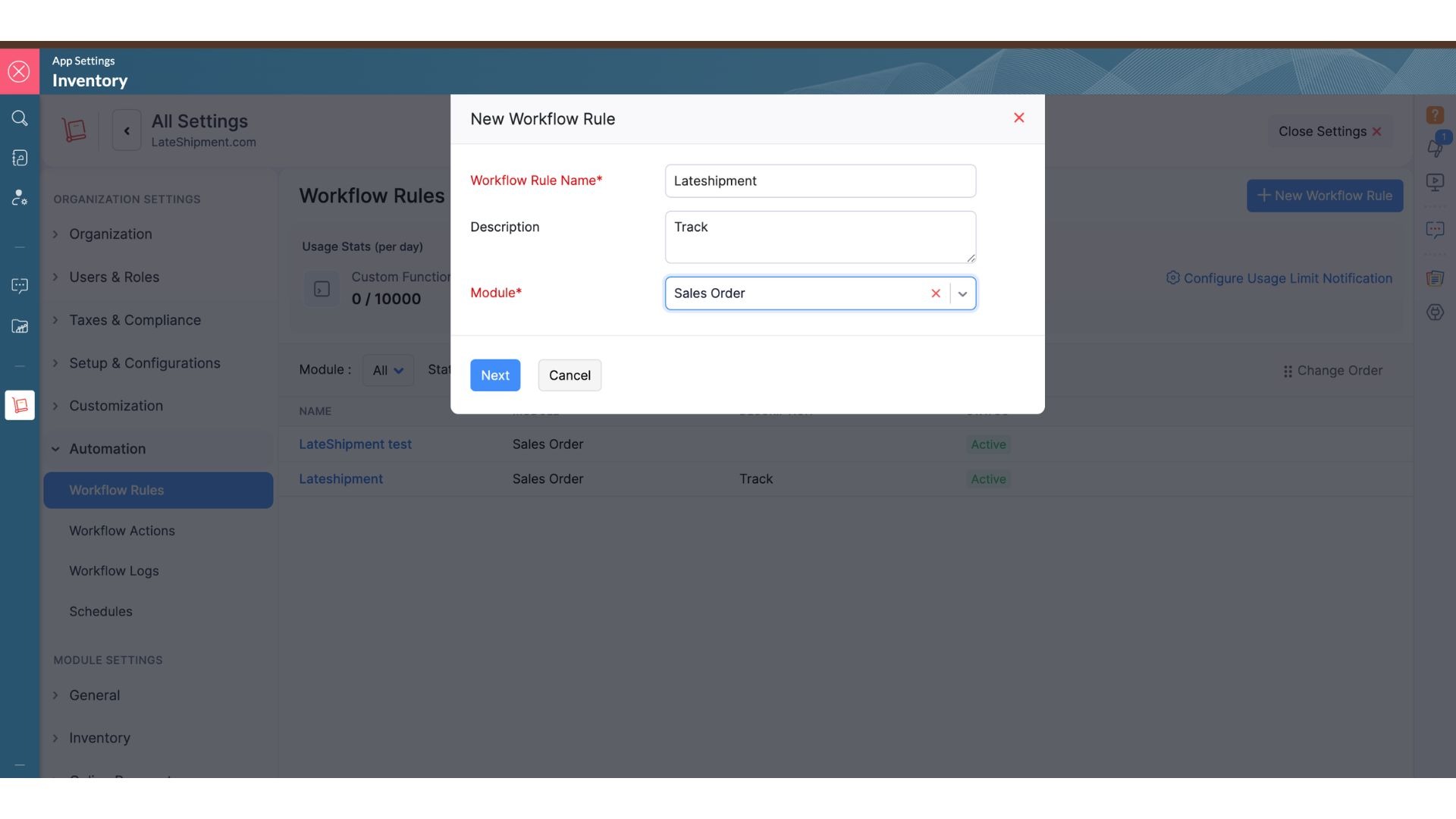
Fill in the workflow details:
Workflow Rule Name: LateShipment
Module: Sales Order
Click Next to continue.
Step 4: Configure the Workflow Trigger
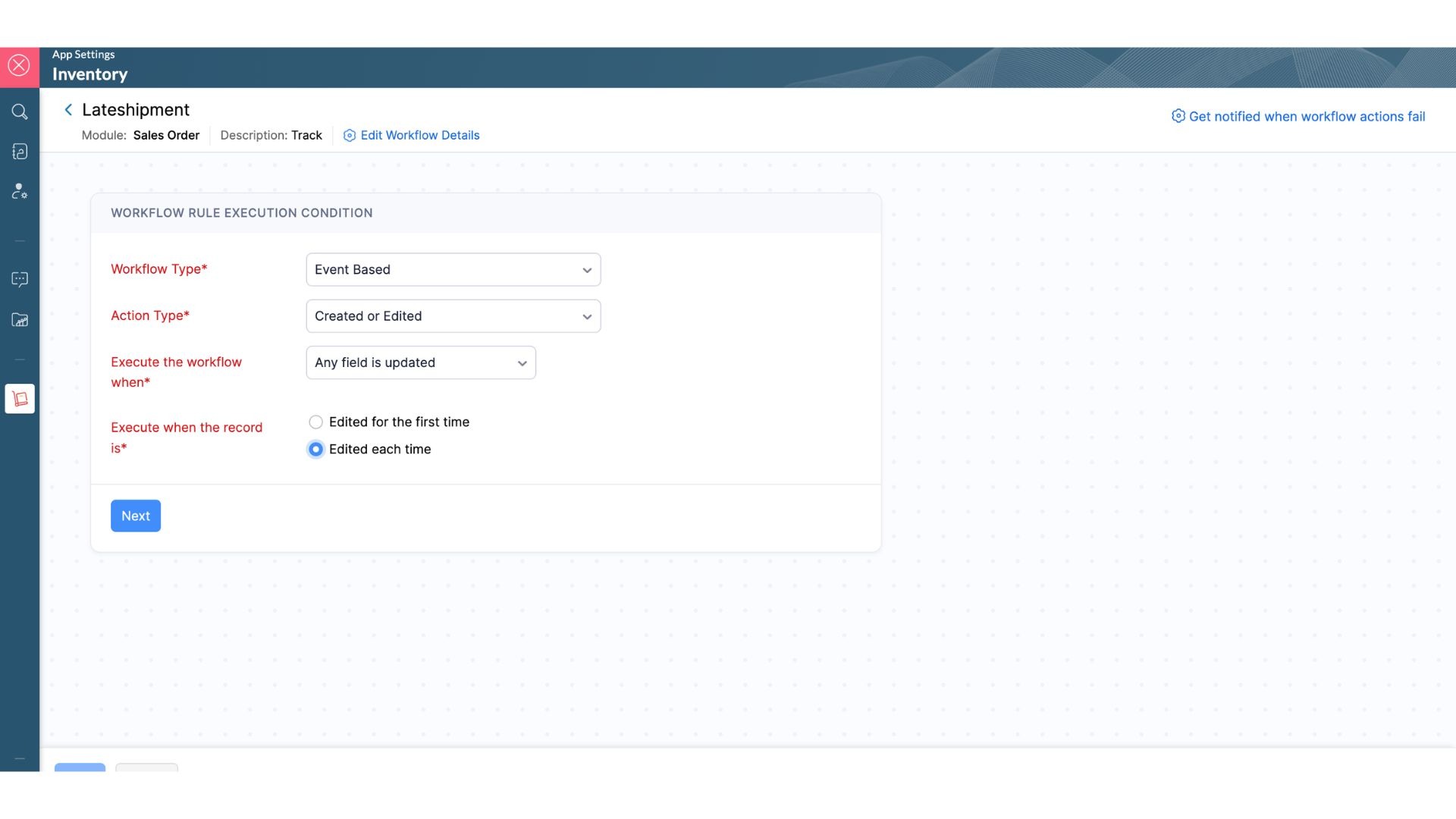
Under When to Execute Workflow:
Select Event Based.
Choose Created or Edited.
Enable Execute workflow when any field is updated.
Click Next.
Step 5: Set the Criteria
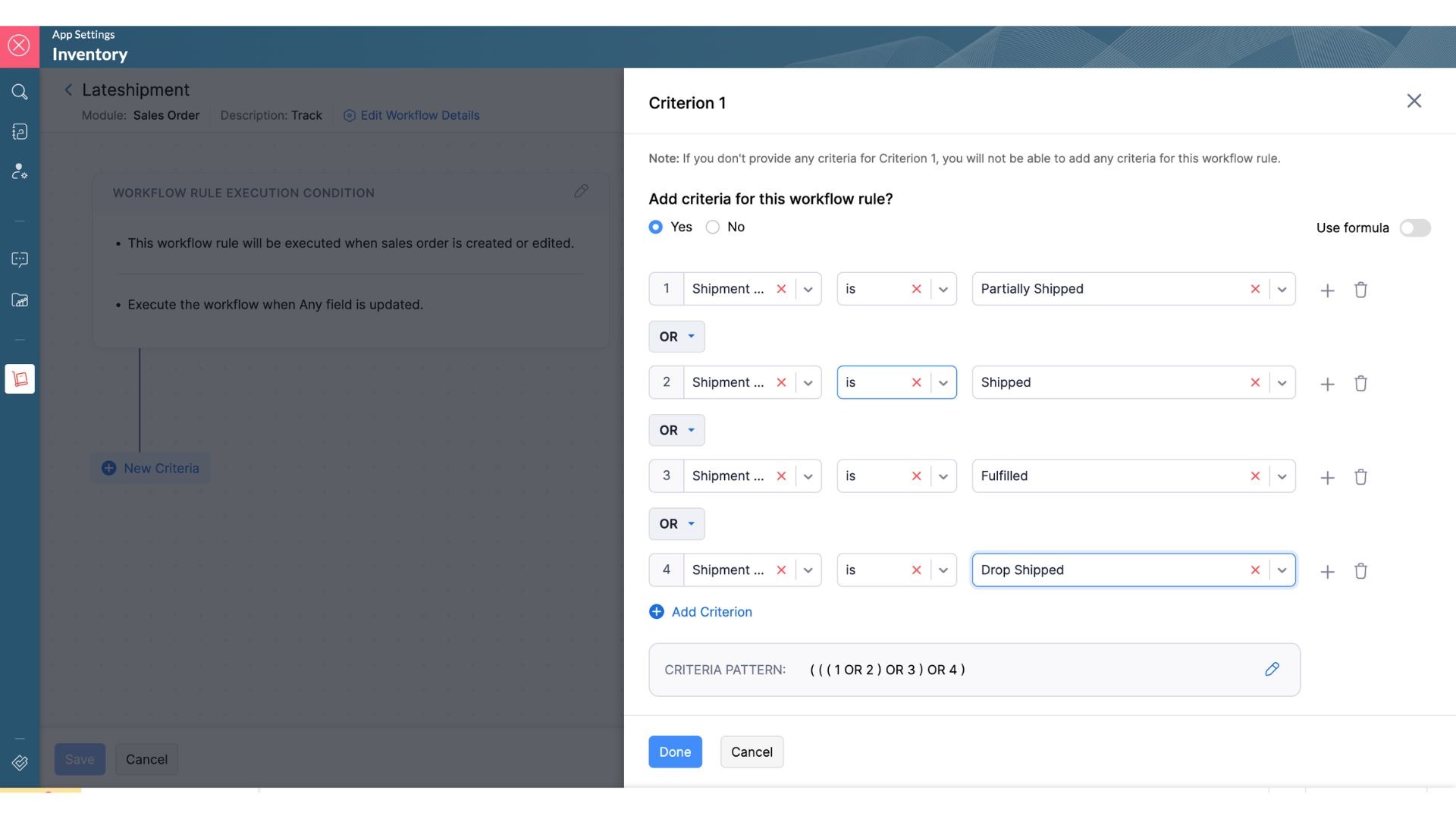
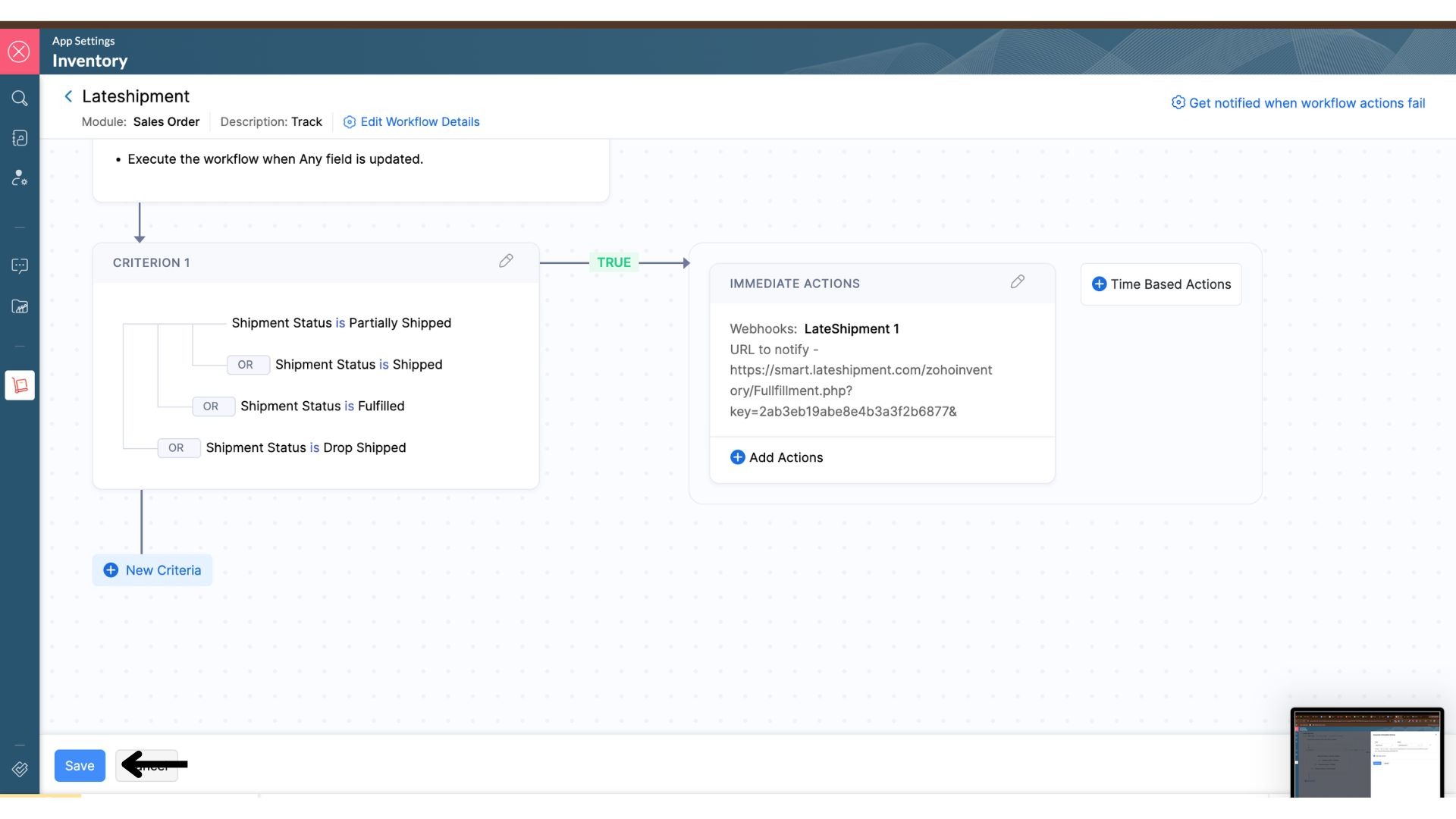
Add criteria based on Shipment Status.
Create conditions where Shipment Status is:
Partially Shipped
Shipped
Fully Shipped
Drop Shipped
Make sure the conditions are connected using OR.
Click Done after adding the criteria.
Step 6: Add a Webhook Action
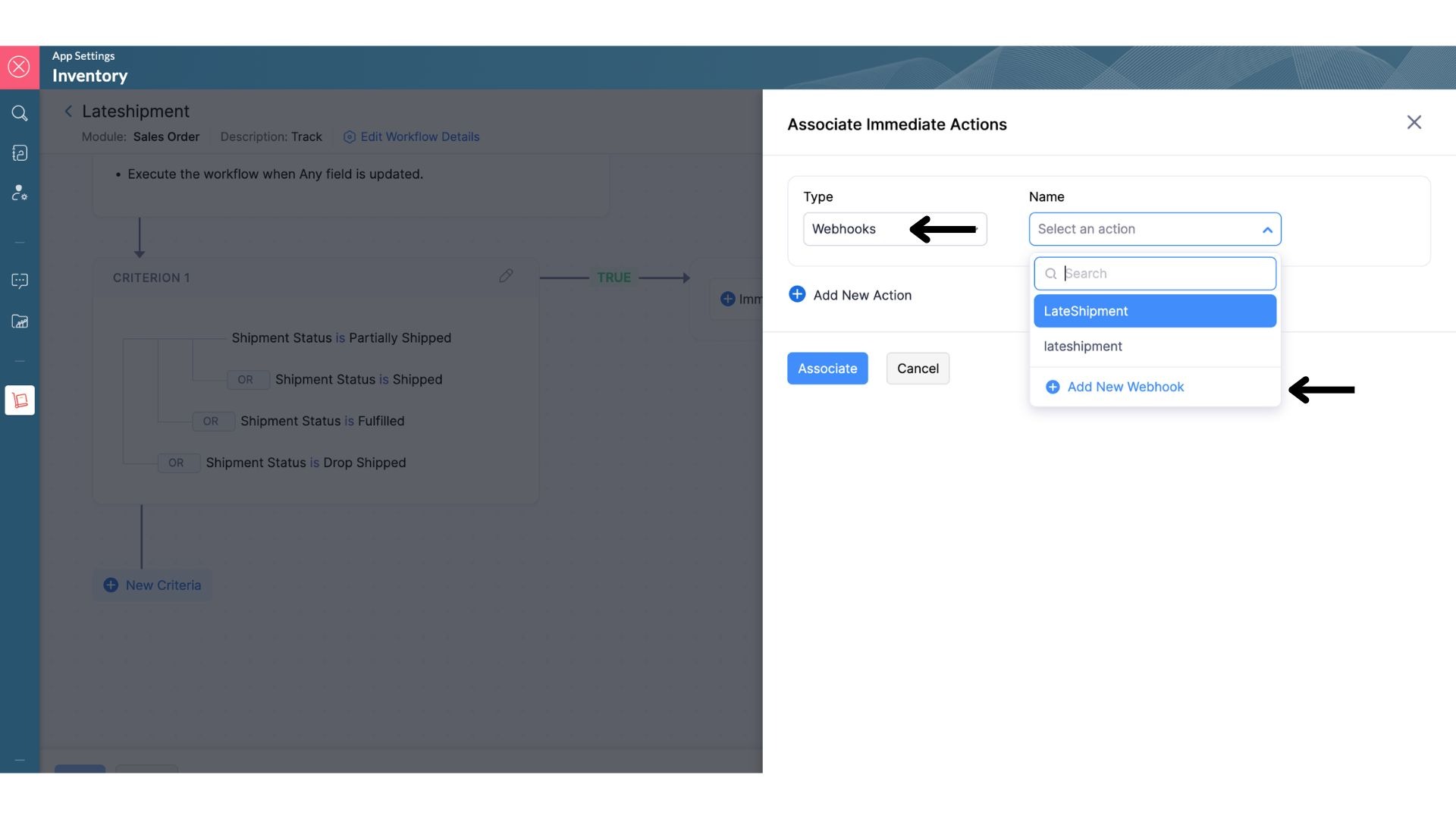
Under Immediate Actions:
Select Webhook.
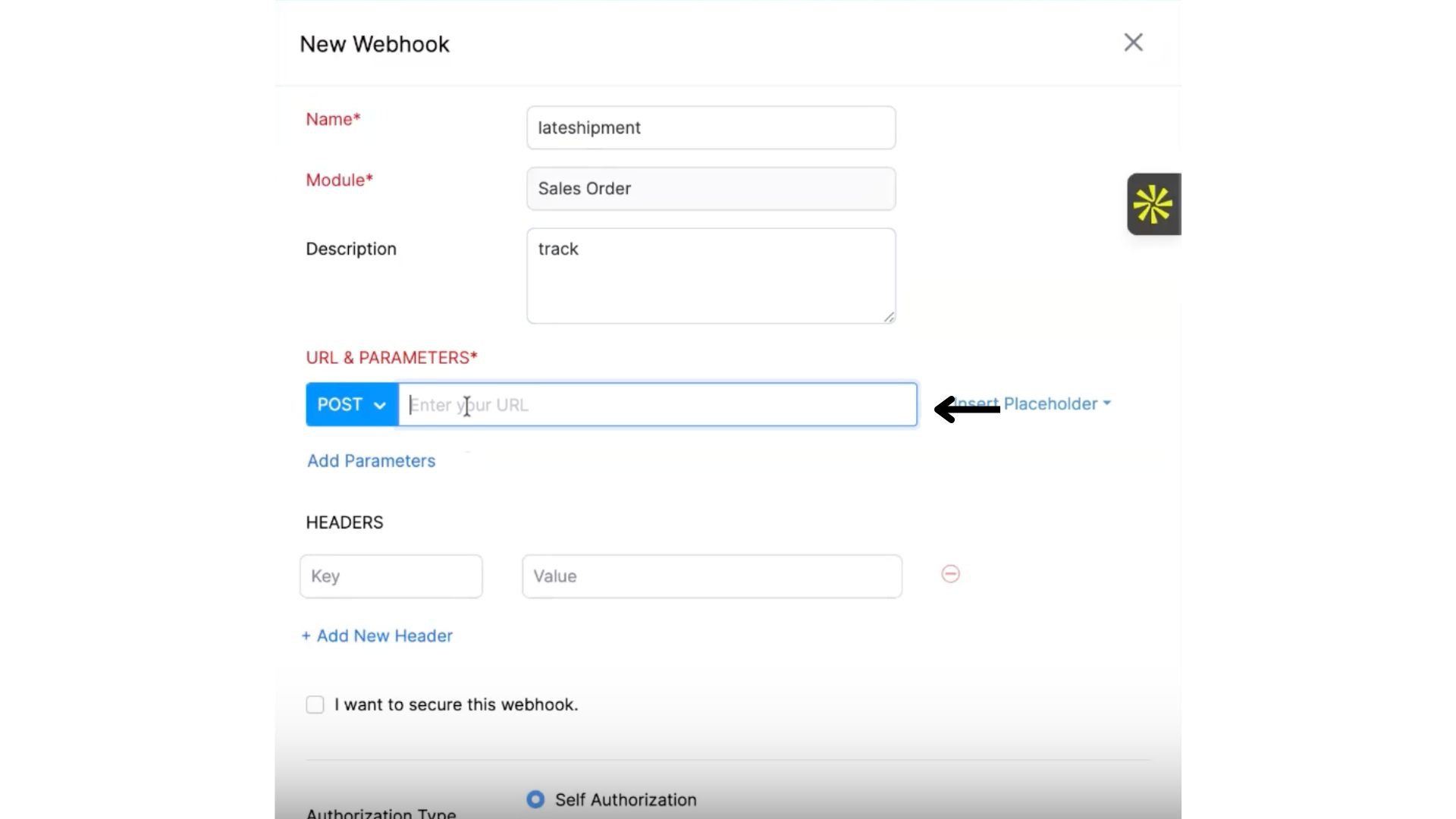
Click New Webhook.
Enter the following details:
Webhook Name: LateShipment Push
Module: Sales Order
Step 7: Copy the Webhook URL from LateShipment
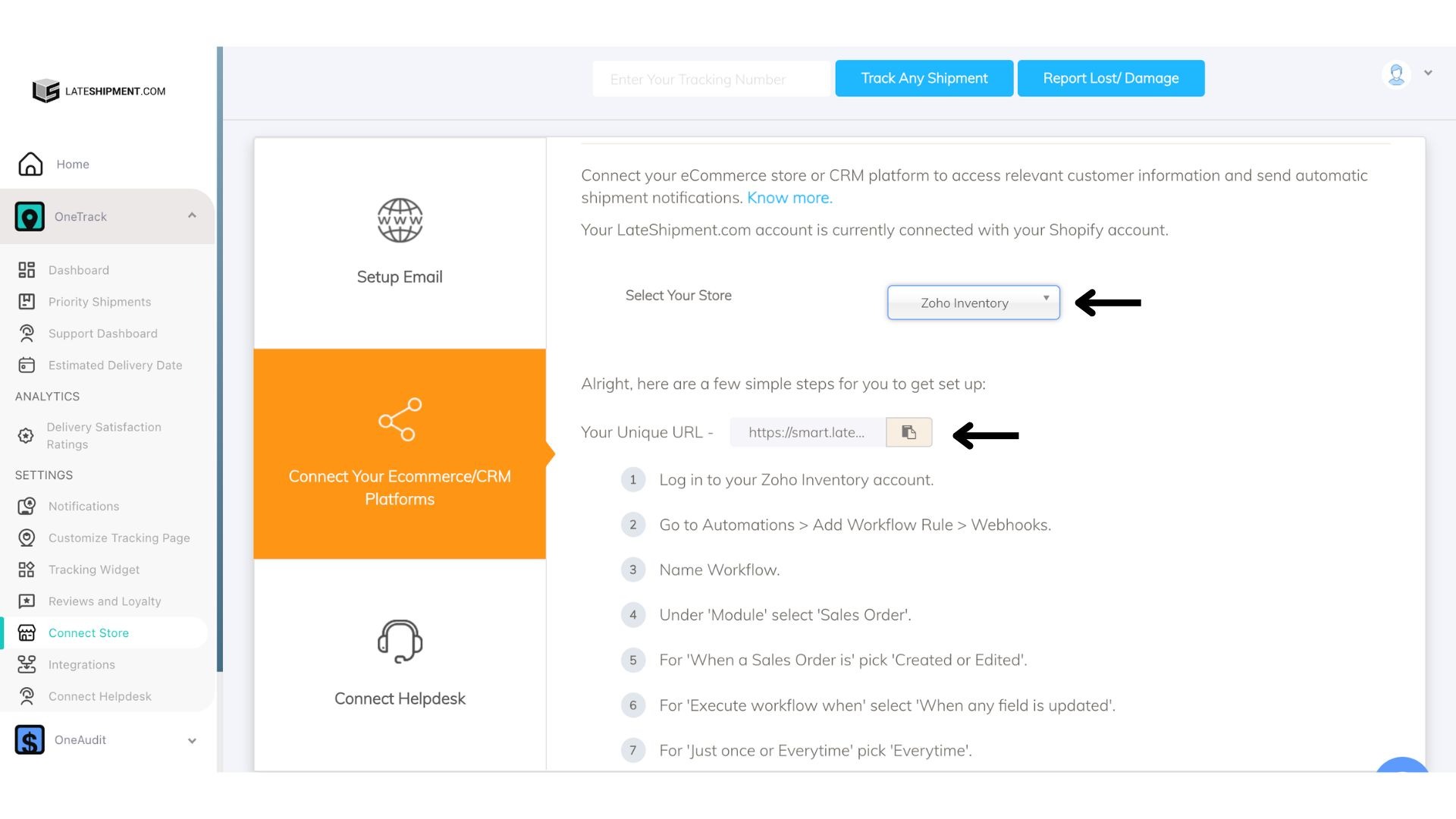
Log in to your LateShipment dashboard.
Navigate to Settings.
Click Connect Store.
Select Zoho Inventory.
Copy the Unique Webhook URL provided.
Step 8: Add the Webhook URL in Zoho Inventory
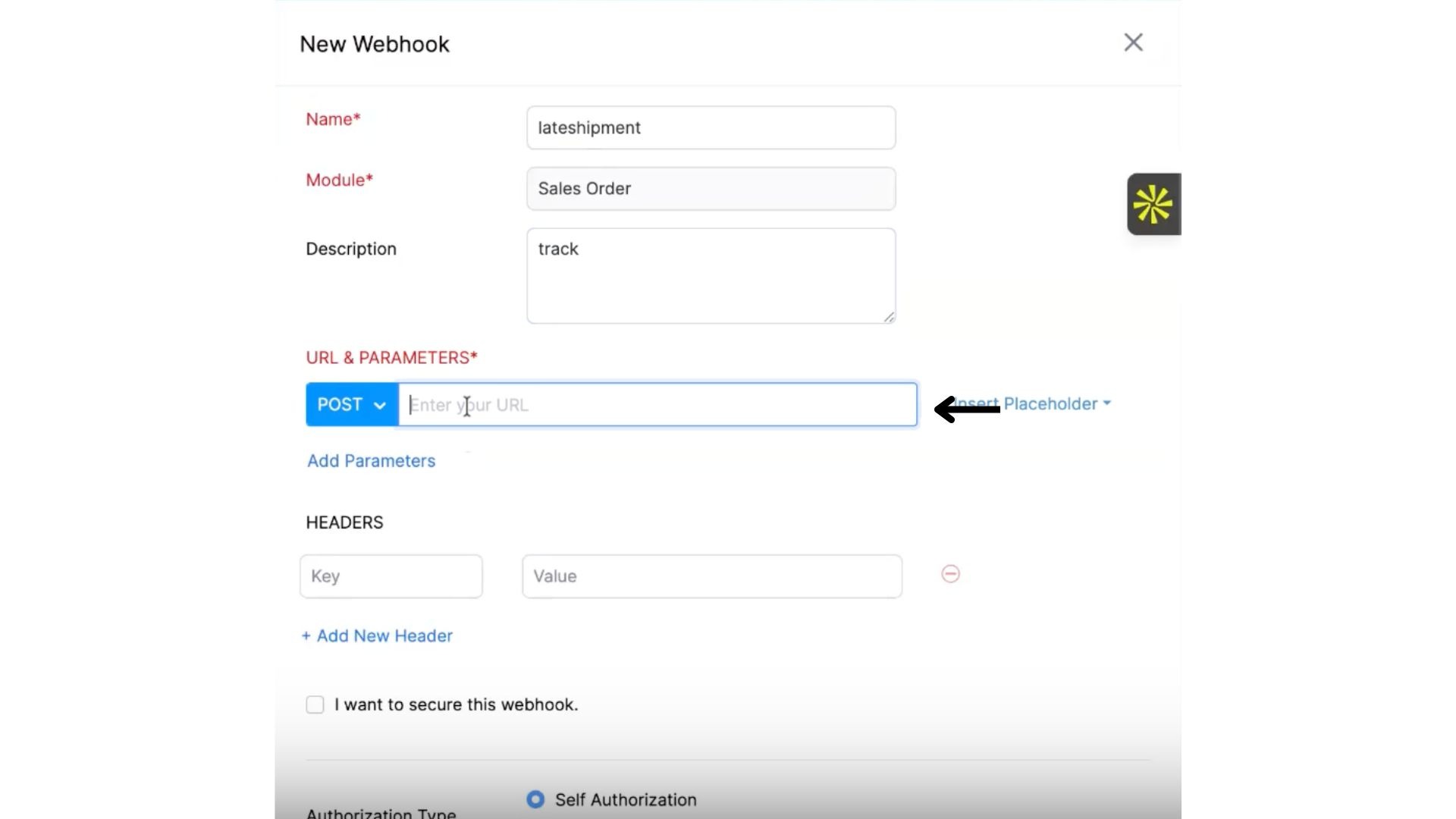
Return to the Webhook configuration in Zoho Inventory.
Paste the Unique Webhook URL into the Webhook URL field.
Click Save.
Step 9: Associate the Webhook
After saving the webhook:
Click Associate to attach the webhook to the workflow rule.
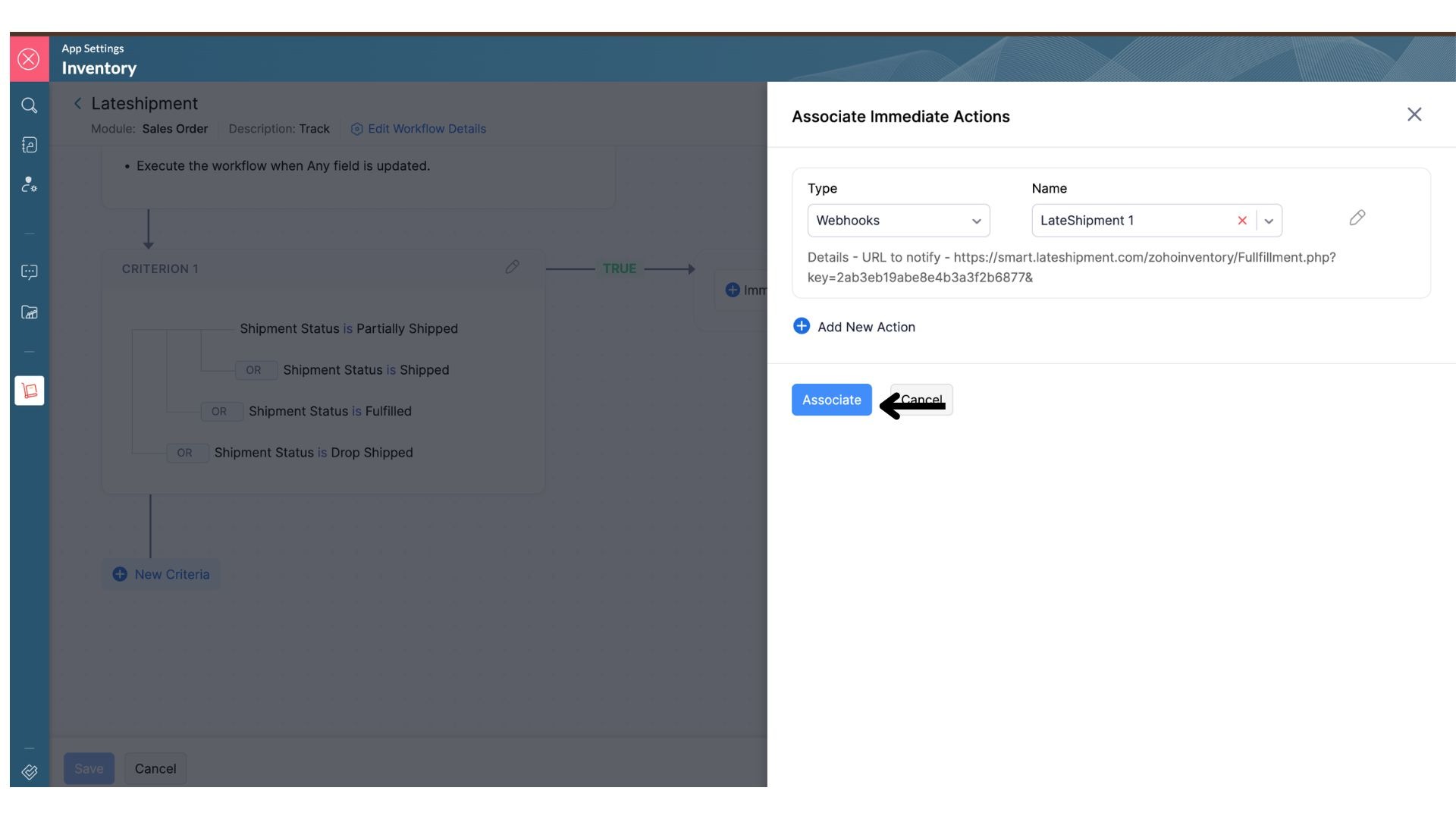
Click Save to activate the workflow.
✅ Setup Complete
Your Zoho Inventory account is now connected with LateShipment.com. Shipment status updates will automatically be sent to LateShipment.com whenever a sales order shipment is created or updated. This helps you monitor delivery performance and identify shipment delays more efficiently.
Was this article helpful?
That’s Great!
Thank you for your feedback
Sorry! We couldn't be helpful
Thank you for your feedback
Feedback sent
We appreciate your effort and will try to fix the article