
The LateShipment.com app integrates with Kustomer Helpdesk via the Kustomer App Store, enabling seamless post-purchase logistics management directly in your support tickets.
Installation Steps
1 Install the app from the Kustomer App Directory by searching for "LateShipment" or "LateShipment.com".
2 Enter the email ID associated with your LateShipment.com account and paste your LateShipment.com API key to authorize the connection.
3. Save the settings and enable events on your LateShipment.com for which tickets should get created to activate the integration—no additional IT setup required.
Key Functionalities
Proactive Ticket Creation: Automatically generates tickets for carrier service failures like delays, lost packages, or failed deliveries to enable quick resolution.
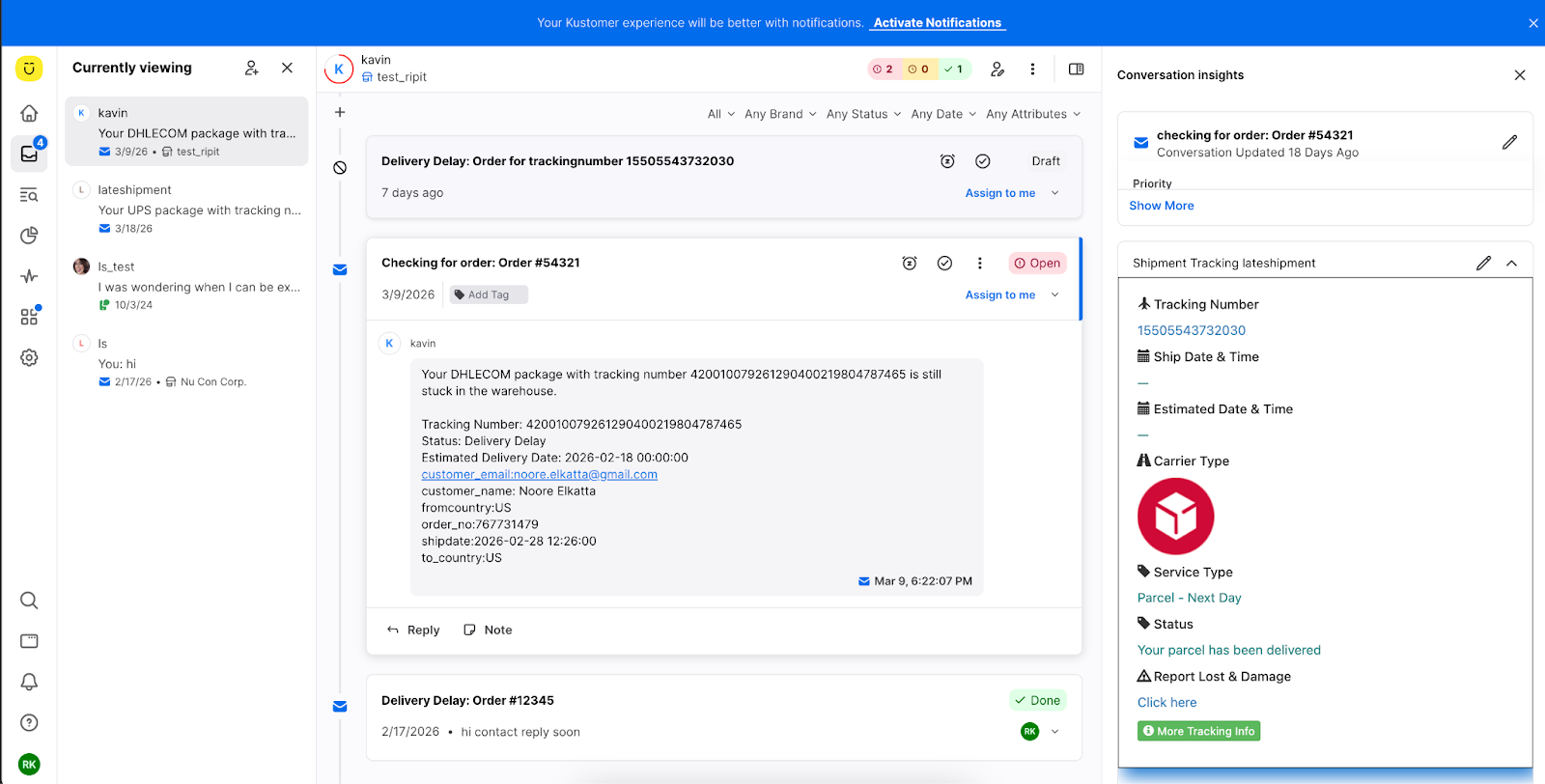
Real-Time Tracking Widget: Embeds an SDK widget in Kustomer tickets to display the latest shipment status updates instantly.
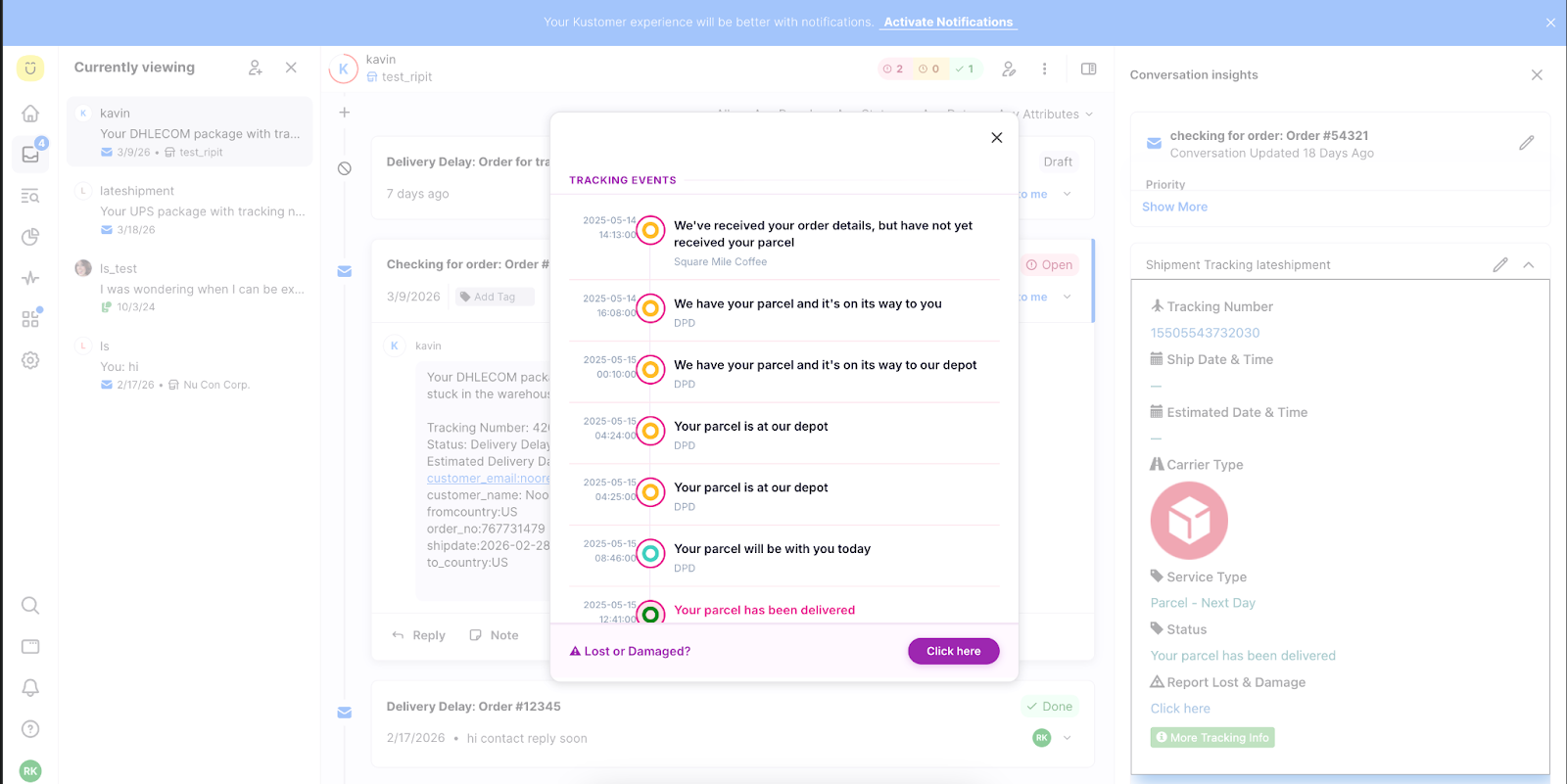
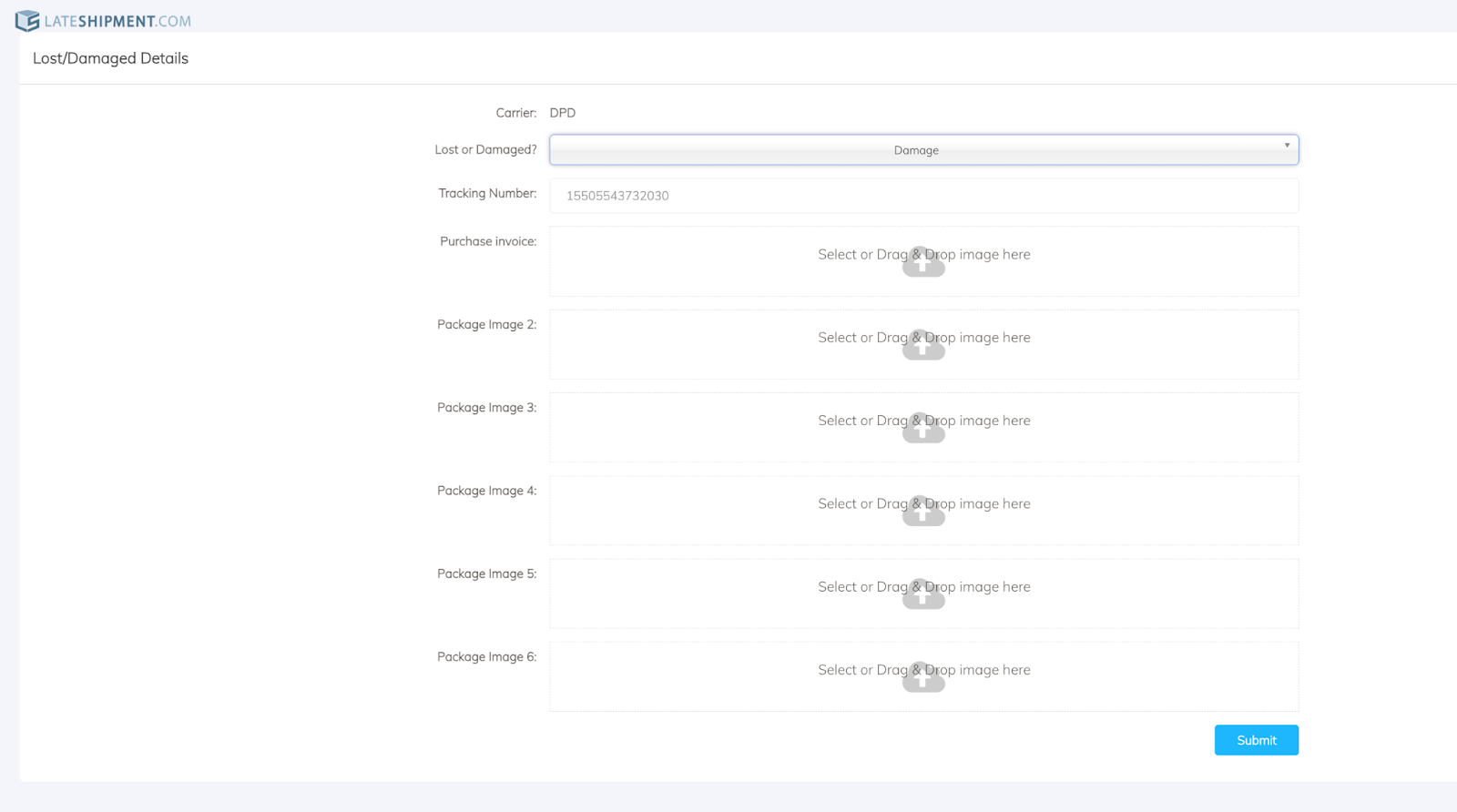
Report Lost/Damaged Shipments: Allows support agents to report lost or damaged parcels directly from the helpdesk for carrier or insurance claims, streamlining workflows.
Was this article helpful?
That’s Great!
Thank you for your feedback
Sorry! We couldn't be helpful
Thank you for your feedback
Feedback sent
We appreciate your effort and will try to fix the article